A rest timer between sets that counts down on your lock screen.
Finish a set and the timer runs. Put your phone down and glance at the lock screen when you want to know how long is left.
Runs between your sets
Complete a set and the rest timer runs for the gap before your next one, so you do not have to remember to time it.
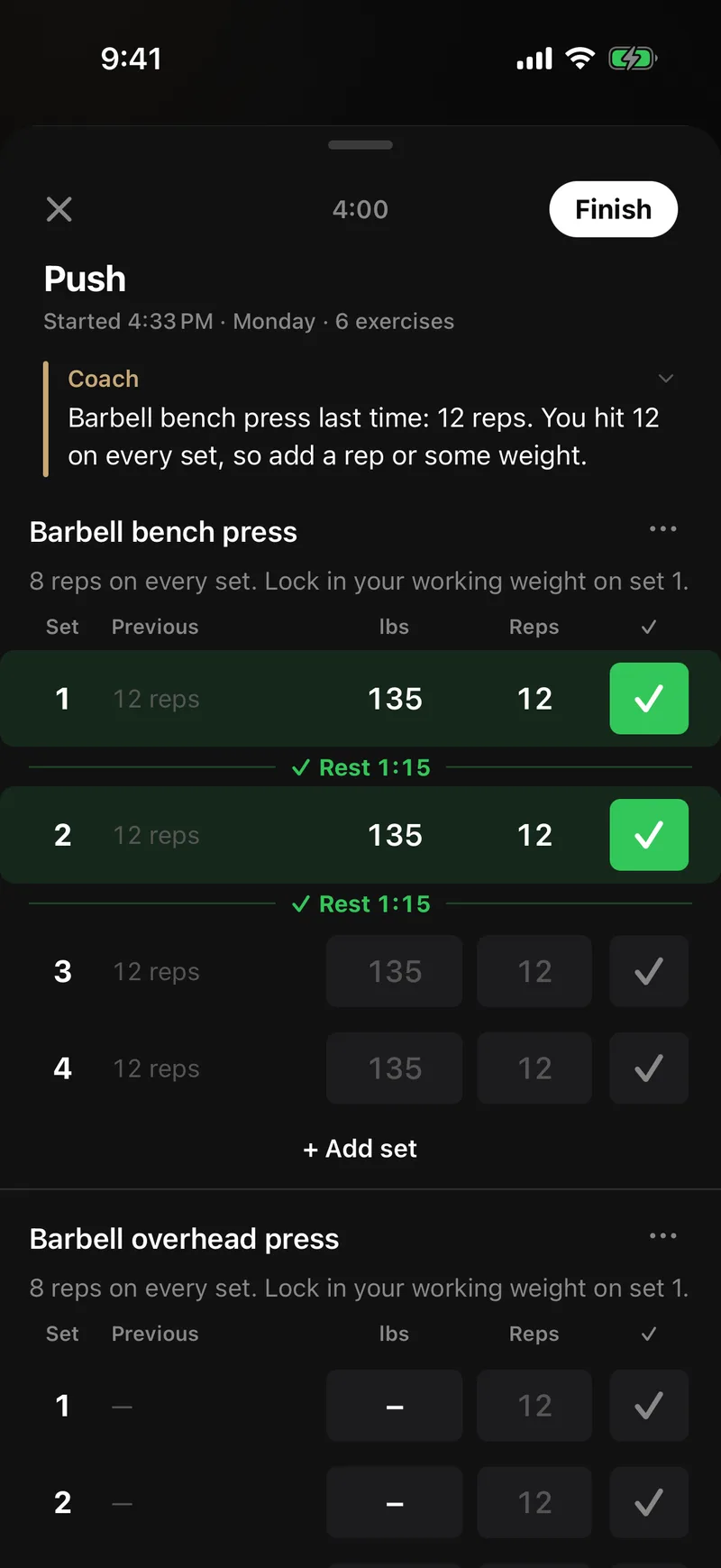
Countdown on the lock screen
Your current exercise, set and remaining rest show on the lock screen as a Live Activity, so you can leave your phone alone.

Why rest time between sets matters
Rest is part of the workout. Too short and your next set suffers, so you lift less weight or get fewer reps than you could. Too long and the session drags and you lose focus. A timer keeps the gaps honest, especially when you are checking messages between sets.
How long should you rest between sets?
There is no single right number. As a general guide, heavy compound lifts such as squats, deadlifts and presses usually benefit from a longer rest, often two to three minutes. Lighter isolation work often needs less, around one to two minutes. If you are not sure, rest long enough that your breathing has settled and you can lift with good form.
- Heavy, low-rep sets: longer rests, often two to three minutes or more.
- Moderate sets for muscle: roughly one to two minutes.
- Light accessory work: shorter rests are fine.
Using the lock screen countdown
On iPhone, the rest timer appears as a Live Activity on the lock screen, and in the Dynamic Island on supported phones. That means you can set your phone down, keep your eyes on your form and your hands on the bar, and look only when you need to. See the Live Activity page for more.
Tips for resting well
Use the rest to do something useful: sip water, check your last set and plan the next one. Avoid long scrolling sessions, which are the main reason a short rest turns into ten minutes. If your sessions run long, shorten the rest on accessory sets rather than skipping rest on the heavy ones.
Who a rest timer helps most
A timer helps people who either rush through sets and lose reps, or who drift into long phone breaks and run out of time. It is also useful for anyone following a program with set rest times, and for people who train alone and want one less thing to count in their head.
Rest, the workout sheet and your lock screen
The rest timer lives in the workout sheet, so it sits beside your sets. When you minimize the sheet to the mini bar, the timer keeps running. On iPhone, the same countdown appears on your lock screen, so you can leave the app and still know when to start your next set.
NewYou AI is a fitness and habit app, not medical advice. Talk to a clinician before big changes to your diet or training, especially with a health condition.
Frequently asked questions
How long should I rest between sets?
As a rough guide, around two to three minutes for heavy compound lifts and one to two minutes for lighter work. Rest until you can lift with good form.
Does the rest timer work with my screen off?
On iPhone, the countdown shows on the lock screen as a Live Activity, so you can see it without opening the app.
Does it start automatically?
Yes. It runs between your sets, and you can adjust the time while it runs.
Can I see the timer without opening the app?
On iPhone, yes. The countdown shows on the lock screen as a Live Activity. Live Activities are an iPhone feature.
Related features
Gym workout log
Log sets, reps and weight fast, and minimize the workout to a mini bar while you browse.
Learn moreLive Activity on the lock screen
Calories left and your workout rest timer on the lock screen and Dynamic Island.
Learn morePersonal records (PR) tracker
A trend line and your records for every lift, so you can see whether you are getting stronger.
Learn moreProgressive overload suggestions
Next-weight suggestions based on what you did last time. Turn it off in Settings if you prefer.
Learn moreMeet Future You.
Free to download on iPhone. Android is coming soon.