A progress photo tracker that compares you with your first photo.
Take a photo, line it up beside where you started, and see the change that the scale does not show.
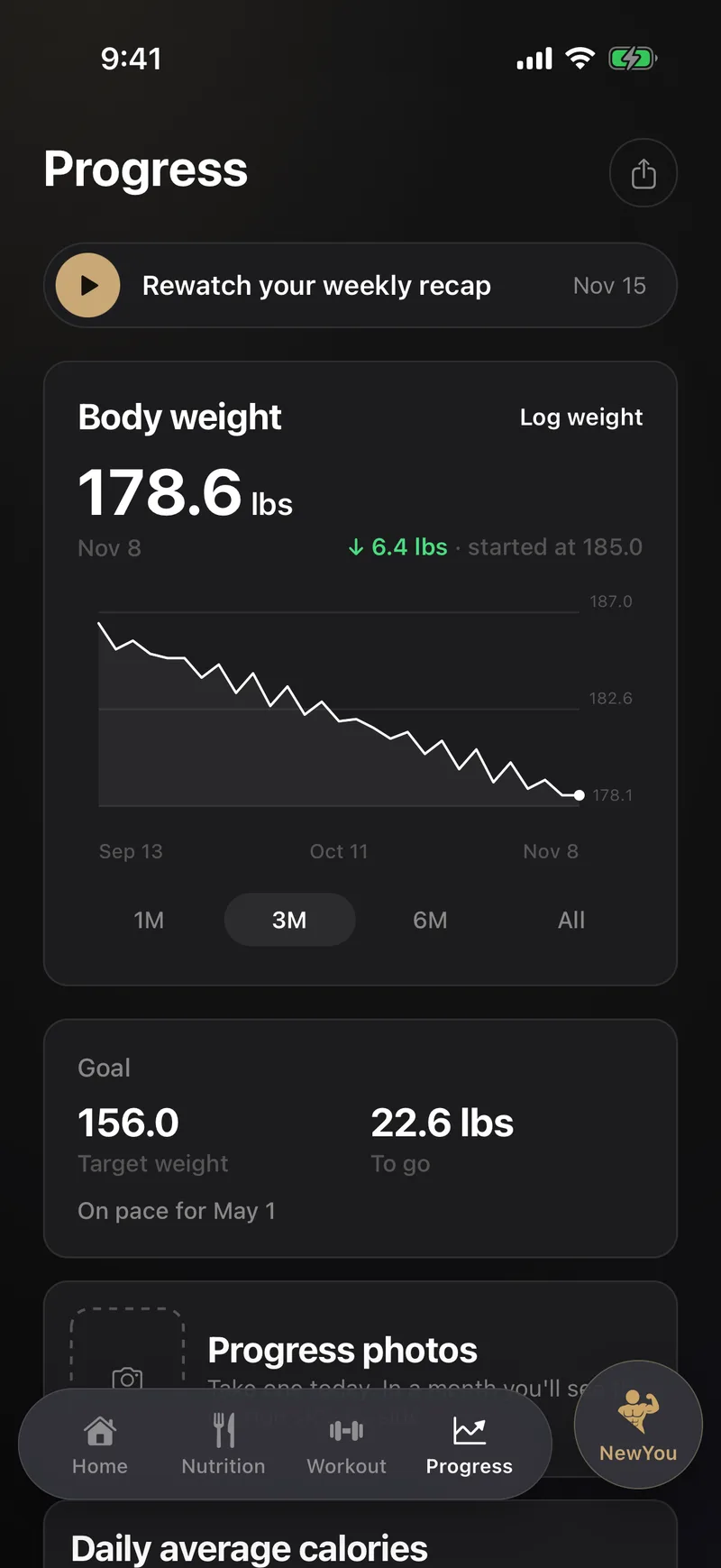
Take a photo in the app
Add a progress photo whenever you like. They are saved in order so you can scroll back through your timeline.
Why track progress with photos
Weight is one signal, and it is noisy. Water, salt, sleep and the time of day all move it. When you add muscle while losing fat, the scale can sit still while your body changes a lot. Photos show shape, and shape is usually what people actually care about.
A progress photo tracker also helps on slow weeks. It is easy to feel stuck when you look in the mirror every day. Looking at a photo from a month ago gives you something to compare with that a daily mirror check cannot.
How to take progress photos that compare well
The photos only work as a comparison if they are taken the same way each time.
- Use the same spot, the same lighting and the same distance from the camera.
- Wear similar clothing so the comparison is about your body.
- Take them at the same time of day, such as the morning before you eat.
- Shoot front, side and back if you want the full picture.
- Do not judge them weekly. Every two to four weeks is enough to see real change.
Compare against your first photo
In NewYou AI you can pick a photo and set it next to your first one. Starting from day one keeps the comparison honest, because small changes stack up and you lose sight of them when you only compare week to week.
Progress photos and Future You are different things
Future You is an AI illustration of a goal. A progress photo is you, on a real day. We keep them separate on purpose. Comparing a real photo to an AI picture would only make you feel behind, so the app never does it.
Privacy for progress photos
Body photos are personal. Our staff do not see member progress photos or Future You images. Read how we handle your photos for how they are stored and how to delete them.
Who a progress photo tracker is for
Photos are most useful if your weight barely moves, if you are lifting and gaining muscle while losing fat, or if you simply get discouraged by the scale. They are also handy if you are the type to forget how you looked a few months ago. Many people only appreciate a change when they see the first photo again.
Using photos with the rest of your tracking
Photos work best next to numbers. Your weight trend shows direction, your lift records show strength, and a progress photo shows shape. When all three move the right way, you can trust the plan. When they disagree, you have a reason to look closer before changing anything.
NewYou AI is a fitness and habit app, not medical advice. Talk to a clinician before big changes to your diet or training, especially with a health condition.
Frequently asked questions
How often should I take progress photos?
Every two to four weeks is plenty for most people. Daily changes are too small to see, and weekly photos can make normal fluctuations look like setbacks.
Can I compare any two photos?
The main comparison is a photo against your first one, so you can see your total change from the start.
Does Future You replace progress photos?
No. Future You is an AI illustration of your goal. Progress photos are real pictures of you, and they are only compared with your own earlier photos.
Who can see my progress photos?
Our staff do not see member progress photos or Future You images. See the privacy post linked below for how photos are handled.
Related features
Future You: AI body transformation preview
Upload one photo and your goal. See an AI picture of you after months of steady work.
Learn moreWeight tracker and trend chart
Log a daily weigh-in and see the trend, your pace toward your goal and a plateau explainer.
Learn moreWeekly check-in recap
A short recap every Sunday with your week, a note from Future You and next week's commitments.
Learn moreShare cards for Instagram and Facebook Stories
Cards for your workout, PRs, streak and progress, ready for Stories in one tap.
Learn moreDaily habit tracker
Water, steps, sleep and mobility on Home, with Apple Health checking some off for you.
Learn moreMeet Future You.
Free to download on iPhone. Android is coming soon.